Halloween AI Costume from Your Own Reference: Two-Photo Guide
Use a portrait and a style reference to create your Halloween look. Real results, identity checks, upload steps and paid-credit pricing.
A Halloween creation can start with an everyday photo or a look you have saved. Decide what you want to make, then choose the right references and workflow.
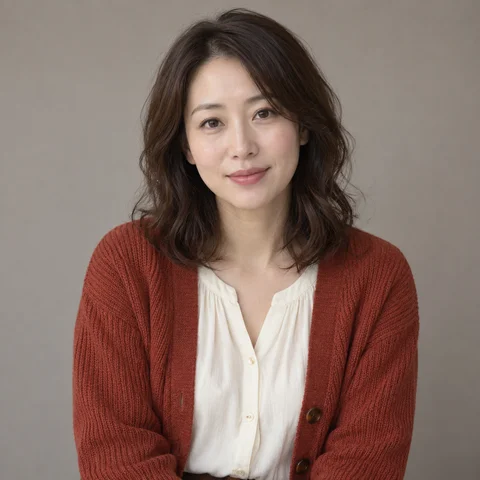
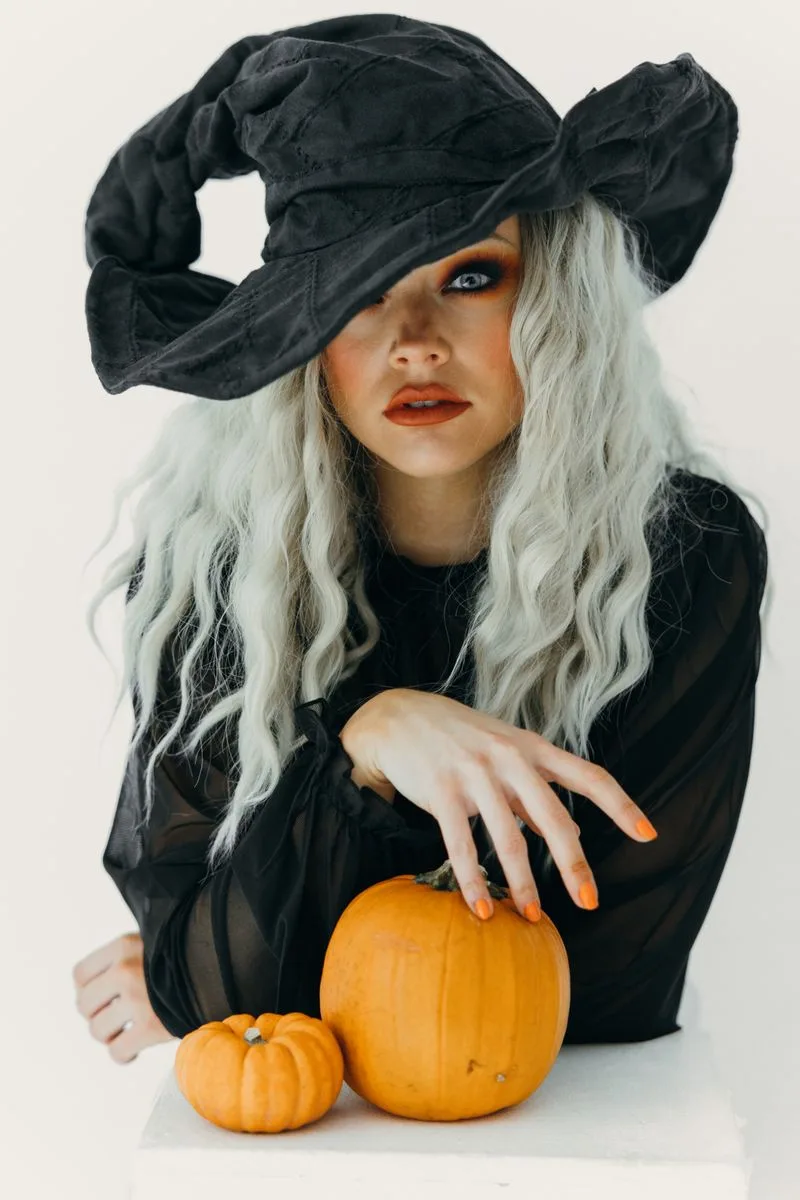
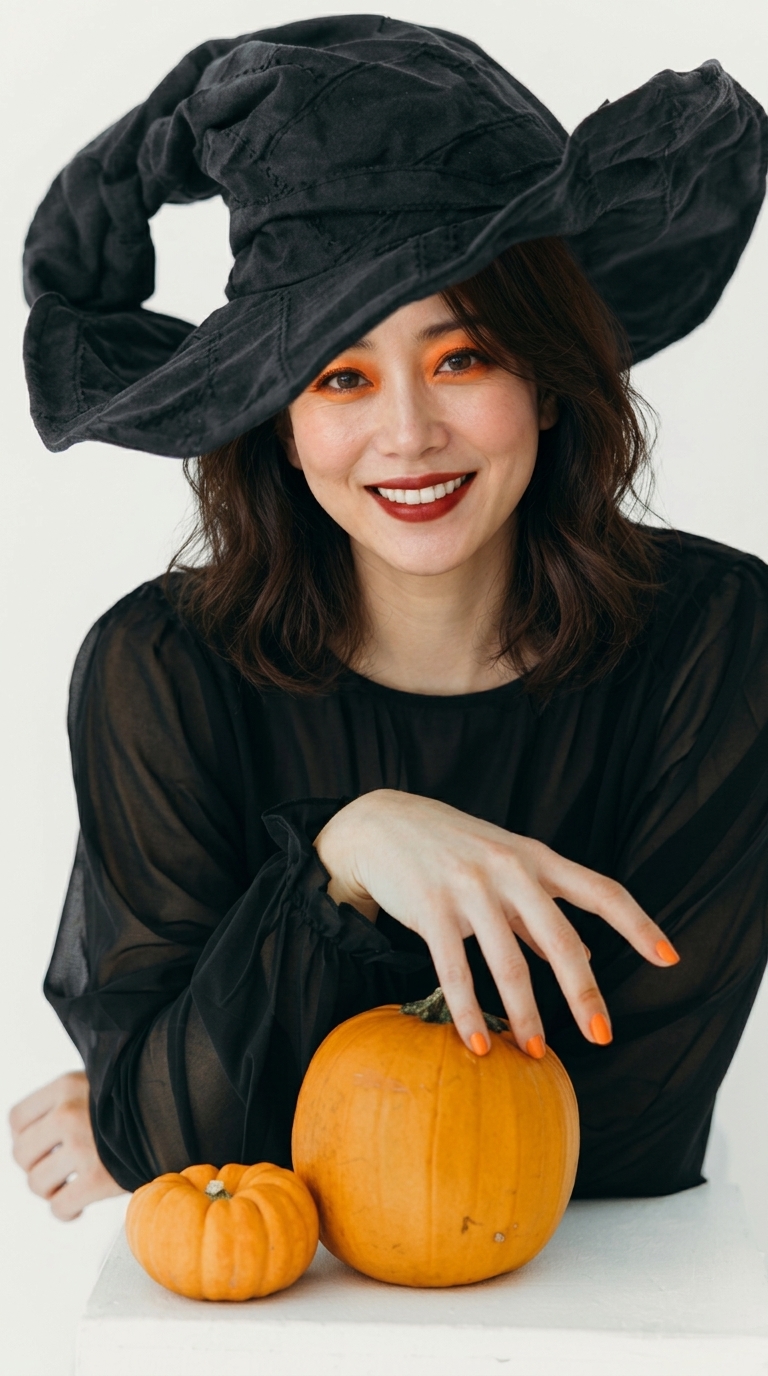
The examples use fictional AI adults and real generated outputs. Results vary with inputs. Style reference: T Leish / Pexels
What does each image do?
Image 1 supplies the person’s identity, face and hair. Image 2 supplies styling: clothing, makeup, background or lighting. Its face is not the identity target. The task is a portrait transformation, not a collage of two people or a pixel-perfect costume copy.
Choose references that make the task clear
Use an evenly lit portrait of one adult with a clear, visible face. Avoid crowds, heavy blur and face coverings. For the style image, make the desired details visible: clothing for an outfit change, scenery for a background change. Use material you have permission to use; the references need not show the same person.
From upload to download
Open the custom creation section. Upload to the separate portrait and style slots. Choose the details to borrow and optionally add a note such as “keep my hair, change only the outfit.” Confirm the quote, generate, compare all three images, check the face and hands, then download the original file.
Why the model matters
Our Qwen trials accepted both images but over-borrowed the style subject’s hair and appearance. The current entry uses Nano (Gemini 3.1 Flash Image). The displayed real example retains dark hair from the portrait and borrows the witch hat, outfit and pumpkin setting. This is evidence from specific tests, not a guarantee for every input.
Review the result before sharing
Check likeness first, followed by hair, hands and anatomy. If the style subject’s appearance creeps in, narrow the selected styling to clothing or background and specify which features to keep. Regenerating after changes is a new paid task; downloading an existing output does not incur another generation charge.
Free prompts, clearly priced generation
Copying prompts is free. Template photos and videos follow their live studio quotes. Dual-reference custom creation costs 99 paid credits per image, using purchased packs or subscription credits only. Free grants, check-in and referral credits cannot pay for this service or top up an insufficient paid balance.
Bring two images and create my own look →
Create and explore further
Frequently Asked Questions
Can I use my own photo?
How many references does custom creation need?
Can I use free credits for custom creation?
Is exact facial identity guaranteed?
Are downloads and animation charged separately?
Keep Reading
The ZNIX editorial team explains AI models using linked primary sources, dated availability checks, and clearly labeled examples. Documentation summaries are distinguished from hands-on benchmarks.
Create the Halloween look you have in mind
Bring your portrait and a style reference. Check the paid-credit price before creating.
Create from my reference